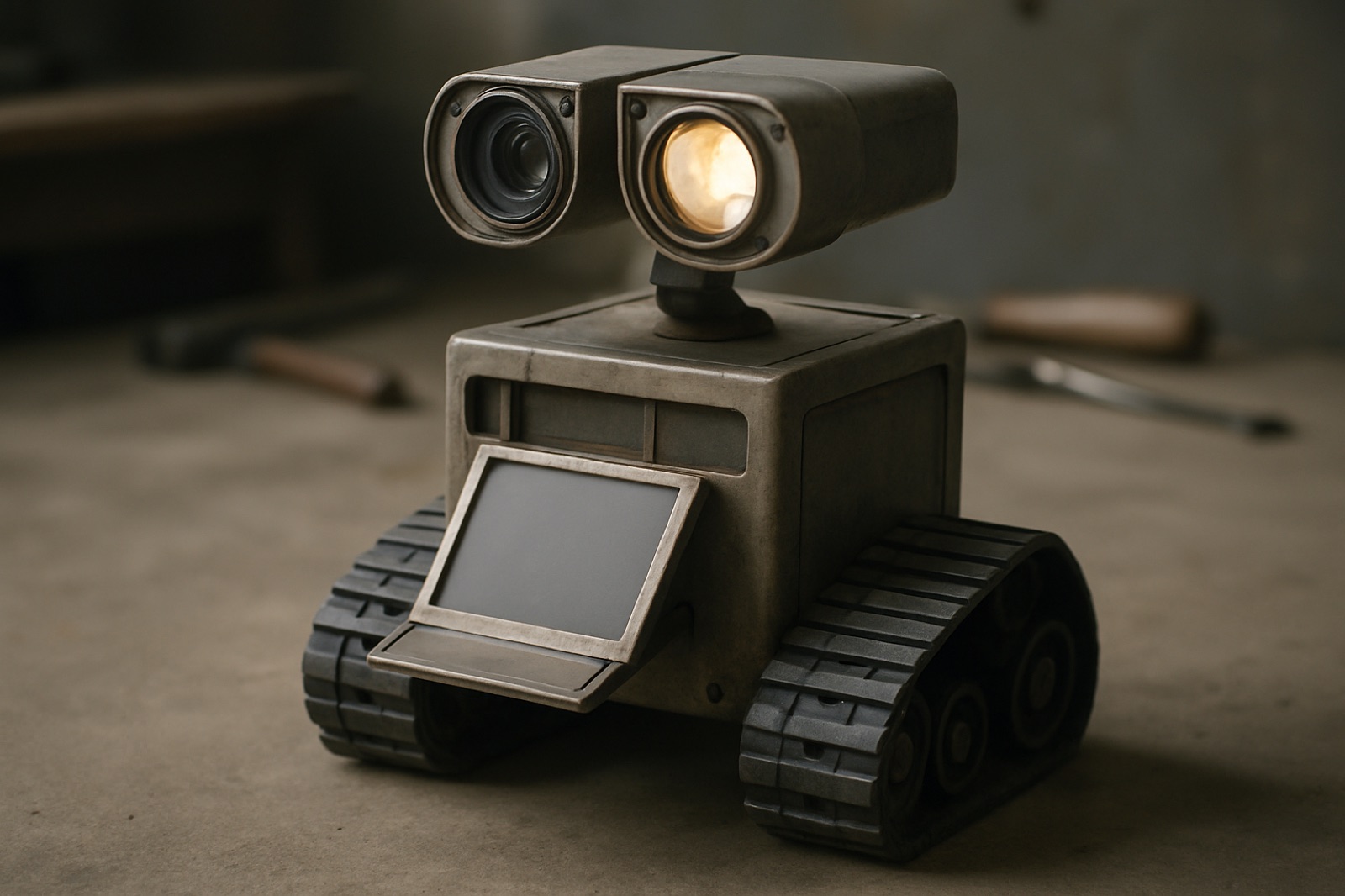
Generated stand-in image. Not a photograph of the real build.
Software
TorQ
A tracked shop robot that stores service manuals and puts the right page on a screen in its belly, so every number arrives with its source beside it.
Written for the group. Read it, then tell me what you think.
I want us to build TorQ instead of the sorting robot. Ask it a torque spec and it finds the page in our service manuals, then displays it on a hinged screen in its belly, tilted up to your eyeline. It is also a lit inspection magnifier for reading part numbers, it films your teardown with its own light, it picks up dropped fasteners with a magnet, and it runs timers for torque sequences and cure times.
The chassis, drive, power, compute and sensors are the same robot we already planned. What changes is what it carries and what it does with it. This is a payload swap, not a restart, and roughly 70 percent of the build is untouched.
Why I am moving off the last idea
The sorting robot, and why this one is better
The original was a small tracked robot that looked at an item, decided whether it was trash, compost or recycling, picked it up and put it in its belly. It never composted anything. It was a sorting robot with a bin, and the interesting part was the deciding.
I still think the classification is a good idea. A camera and a small model can tell a can from a banana peel from a plastic wrapper, and watching a robot make that call and act on it is a genuinely good demo.
So this is not me deciding the idea was stupid. It is me working out that the part that makes it work is not the part that makes it look good, and that we would not have found that out until late.
01
Picking things up was the whole product, and it is the hardest thing on the list
Deciding what an item is does not do anything on its own. The robot only exists if it can pick the item up, and household waste is the worst case for that: a crushed can, a banana peel, a film wrapper and a bottle each need a different grasp, and none of their shapes are known in advance. That is a research problem, not a twelve week problem.
02
The easy half is the half that looks impressive, so the risk sits at the end
Classification would have come together fast and looked great. The manipulation is where it dies. That means the project feels like it is going well right up until the point where there is no time left to change course. That risk profile is the one I most want to avoid.
03
A drink can weighs more than it can lift
Realistic payload at our budget is 50 to 150g. A full can is several times that. Even a working gripper would have handled a subset of household waste small enough that it would not have been useful.
04
The belly holds almost nothing
Once the battery, the compute and the drive are in, a robot this size has maybe a litre or two of space left. That is a couple of items before a human has to come and empty it.
05
If a person has to be standing there, it has not saved anyone anything
You were already holding the item. You could have put it in the bin. The version that actually helps is the one that finds things across a room on its own, which needs navigation and search on top of the grasping. The useful version is much harder than the demo version.
06
Being mostly right about recycling is worse than not sorting
What is recyclable depends on your municipality and your hauler, and it changes. One wrong item can contaminate a whole load. That is a rule set we do not control and cannot verify, attached to a failure that is invisible to us.
07
Nothing about it degrades gracefully
If the gripper does not work we have a camera that names your rubbish. There is no partial version of that robot that is worth having, which is the property a hard deadline punishes most.
TorQ inverts the risk. The essential part, finding the right page and putting it on screen, is a laptop program we can build in week 2 before a single part arrives, so if it is going to fail it fails while we still have ten weeks. And when something does go wrong it degrades into something useful instead of into nothing: no model, still a manual page; no retrieval, still a screen on wheels you can drive. The belly even survived the change. It still opens, it just holds a display instead of a bin.
Here is the whole range, because the reason I want this one is that a single small machine covers all of it. Every line below runs on the same four servos, one camera with a light ring, one screen, one microphone and one magnet. Nothing here needs a part we are not already buying.
It knows your manuals
Torque specs, with the page on screen
Ask for the lug nut torque on a 2015 Civic and get the number with the actual manual page under it. It never shows a value without its source.
Ask in your own words
Not a search box. Say what you are doing and it works out the vehicle and the fastener.
Wiring diagrams and exploded views
Same library, different query. Free once the manuals are ingested.
Fluid capacities and fill specs
How much goes in, what grade, where the plug is.
Torque sequences that count with you
Shows the criss cross pattern and tracks bolt 3 of 10 so you do not lose your place.
A spec table you can edit
The figures you look up constantly get saved locally, so they are instant and they work with no internet at all.
It films your teardown, lit
The light and the camera point the same way
The LED ring is coaxial with the lens, on a head that aims both at once. You cannot film a teardown properly on a phone because one hand is already holding the flashlight. This is the whole reason it can film in an engine bay.
Mark a step by voice while your hands are busy
Say mark and it bookmarks that moment in the recording. No stopping, no clean hands required.
Plays the steps back in reverse for reassembly
Taking something apart and not remembering how it goes back together is the universal one. It hands you your own bookmarks, backwards.
Photo per step as the cheap version
Say photo, it timestamps into a job log and builds a reverse order gallery. Works even if we never finish video.
Timelapse of a whole job
Set it on the bench and let it run. The camera is already there and already lit.
Before and after, side by side
Shoot the assembly intact, shoot it apart, compare the two on the belly.
Footage you can actually post
Lit, steady, from a fixed angle that is not your elbow. Teardown videos worth putting somewhere.
It sees what you cannot
A lit inspection magnifier
Camera and ring light on the belly screen, for casting numbers and date stamps in a dark bay. Probably the thing we reach for most.
Remote eyes under the car
Drive it where your head does not fit and watch on your phone while you steer the head.
Reads a part number and looks it up
Point it at a casting number, it reads the text and searches the manuals for it.
Reads a VIN and filters everything to that car
Scan the door jamb and every lookup after that is narrowed to the right vehicle and year.
It plugs into the car
Pulls trouble codes and opens the right page
A fifteen dollar Bluetooth dongle to the OBD port, then the code goes straight to the diagnostic tree in the manual. 1996 and newer.
Live data on the belly
Coolant temp, RPM, fuel trims and O2 sensors while it idles.
Freeze frame and code clearing
Capture the conditions when the fault set, then clear it once you have fixed it.
It replaces small tools
A digital angle gauge
Set it on a surface and read the angle. Driveline and pinion angles, checking a lift is level, corner ride heights. That is a sixty dollar tool.
Gauges drawn at exact scale on the glass
Thread pitch gauge, bolt diameter chart, a ruler. Hold the fastener against the screen.
Unit conversion and timers
Foot pounds to newton metres, cure times, brake bleed cycles, oil drains.
Magnets that pick up what you drop
A tray on top you can throw bolts into without bending down, and a sled underneath that sweeps the floor as it drives.
Send it to sweep the floor
Say sweep and it patterns across the shop collecting dropped hardware, then brings it back.
Records a noise so you can compare it
Capture a knock or a squeal at different revs, keep it, play it back next week or send it to someone.
It works with dirty hands
Voice control
Pause, back thirty, next step, without touching anything. Plus a rubber button you can hit with a knuckle when the shop is loud.
Reads the spec out loud
For when you are under the car and cannot see the screen. It says the number and names the source, never just the number.
How to videos on its belly
Cached, so they keep playing when the shop WiFi drops.
Your phone is the same interface
The belly and your phone run one web app. Type the awkward stuff on the phone, read it off the robot.
Voice notes
Say note, need a new gasket, and it is written down and attached to the job.
It comes to you and angles the screen
Drives over, turns to face you, and tilts the display up so you can read it from the floor.
It remembers, and it grows
A log per vehicle
What you did, when, at what mileage, with the photos from that job attached.
Add manuals whenever you want
Drop in a new PDF, it gets ingested once, and it is searchable forever after.
A folder for new abilities
Anything we write later drops into a skills folder and shows up on the belly. It does not need rebuilding to learn something.
And it is good company
It behaves like something, not a cart
Animated eyes, idle head motion, and it reacts when you pick it up or tilt it.
It notices when you are stuck
Ten minutes on the same bolt and it offers the spec without being asked.
It watches what you are working on
Head follows your hands, light already pointed where you need it.
That is thirty odd things, and no, not all of it lands in twelve weeks. I am listing the full range because it is all reachable on this one set of parts, which is the argument. The floor we have to hit by week 9 is the manual lookup, the magnifier, the magnets and the timers, with no voice and no model at all. Filming and voice are week 10. The rest is what the hardware already affords once that exists, and any of it can be added later without touching the robot.
01
Spec
| Lane | Software |
|---|---|
| Status | Design locked, parts not yet ordered |
| Role | Concept and system design, now a group build |
| Duration | 12 weeks, September to December 2026 |
| Moving joints | 4 |
| Compute | Raspberry Pi 5, RP2350 |
| Tools | Python, build123d, sqlite, Next.js, Claude API |
4moving parts
02
Mechanism
How it works
The governing rule: it never shows a value without showing where the value came from. A wrong torque figure damages an engine or loses a wheel, so the job is not to know the answer, it is to find the page and put it on screen so you can check it yourself.
Phase 1, on a laptop, once per manual
- PDF, render every page to PNG (pymupdf)
- extract text, OCR the scans (tesseract)
- chunk per page, embed (bge-small, local)
- sqlite: manual, page, text, embedding, png
- optional vision pass, structured torque rows
- copy the folder to the robot
This runs on a real computer, never on the Pi. OCR and embedding a 400 page scan is slow and nobody is waiting on it. The optional vision pass is where a model is safest: it extracts tables we can check once against the page and then trust, instead of improvising a number live.
Phase 2, on the robot, per question
- question, typed on your phone, tapped, or spoken
- embed the query locally on the Pi
- top k pages by similarity, filtered by vehicle
- SHOW THE PAGE IMAGE on the belly
- if online: a model reads those pages and returns plain English plus a structured citation
- if offline: hit the pre extracted spec table, instant, no model
The citation is not prose the model writes and we hope is honest. The API returns the page number as a structured field, so we render that page next to the answer and a wrong answer becomes visible rather than silent.
| State | What you get |
|---|---|
| Everything working | Plain English answer and the cited manual page |
| No internet | Pre extracted spec table and the page image. Faster than online |
| Nothing matches | The retrieved page, you read it yourself |
| Retrieval broken | Still a mobile display you can drive around |
There is no single point of failure anywhere in that ladder. That is the property the compost robot never had.
03
Hardware
Four moving joints, total
Two brains, on purpose. A Raspberry Pi 5 runs the screen, web app, camera, retrieval and model calls. An RP2350 holds a 200Hz control loop, the servo bus, motor PID, encoders, the cliff watchdog and the e stop. They talk over USB serial at about 50Hz.
Linux cannot hold a real time loop. The microcontroller keeps the robot safe, stopping at cliffs and cutting the motors, even if the Pi reboots, hangs, or we crash it while developing. That is what stops a bug from becoming a robot on the floor.
Drive, 2 motors
- 2 N20 gearmotors at 1:100 with magnetic encoders, TB6612FNG driver, closed loop velocity PID on the MCU
- Printed sprockets, idlers and road wheels, TPU track pads
- 3 VL53L1X time of flight sensors: one forward, two down at the track nose so it cannot drive off a bench
- Encoders are not optional. Without them it cannot drive straight
Head, 3 servos
- Pan, neck tilt, head tilt
- Pi Camera Module 3 Wide with autofocus, for filming, the magnifier, part numbers and VIN plates
- A COB LED ring coaxial with the lens, so it lights exactly what the camera sees and aiming the head aims both
- 2 GC9A01 round LCDs for eyes, with Perlin idle motion and variable blink so it does not read as broken when still
Belly, 1 servo
- 7 inch DSI touchscreen on a spring counterbalanced hinge
- Tilts to your eyeline. Floor and bench need very different angles, and a fixed screen is unreadable half the time
- The counterbalance matters: without it the servo holds screen weight all day, heats up and drains the pack
Senses, no motors
- BNO085 IMU, which detects being picked up and doubles as a digital angle gauge for driveline work
- INMP441 mic mounted high away from motor whine, plus a rubber push to talk button, because shops are loud
- MAX98357A amp and a 5W speaker. Buy the good one: chirps forgive a cheap driver, speech does not
- Magnets: a parts tray on the top deck, and a removable sled underneath that sweeps up dropped screws as it drives
Power is where these builds die. A 2S2P 18650 pack at about 25Wh, with separate rails: 5V at 5A for the Pi, 6V for the servo bus, common ground, fat bulk caps. Servo inrush browning out the Pi is the number one killer of Raspberry Pi robots. Get it wrong and we spend the term chasing mystery reboots through a closed chassis.
Head pan, neck tilt, head tilt, belly hinge. No arms, no gripper, no legs. Earlier versions of this design had nine joints. Every one we deleted is a bracket, a wire, a tuning session and a failure mode we do not spend the term on.
04
Software
| Layer | Choice | Why |
|---|---|---|
| Robot service | Python and asyncio, event bus | Simple, no ROS ceremony we do not need |
| Firmware | C or MicroPython on the Pico | The real time half |
| Belly UI | Chromium kiosk to localhost | Every feature is a web page, fast to build and iterate |
| Phone UI | The same web app at torq.local | One codebase, two surfaces. Type on your phone, read on the belly |
| Video | yt-dlp and mpv | Not an embedded browser player. Hardware decoded, caches, survives bad shop WiFi |
| Camera | picamera2 | H.264 hardware encode |
| Retrieval | sqlite and local embeddings | Runs offline |
| Ingest | pymupdf and tesseract | Laptop side, never on the robot |
| CAD | build123d | Parametric, one config file drives every dimension |
No ROS 2. Nav2 and tf2 are a lot of ceremony for a robot that does not need SLAM grade navigation, and the setup cost would eat weeks we do not have.
05
Carry over
What we keep from the compost build
Unchanged, about 70 percent
- Tracked base and chassis
- Closed loop velocity from encoders
- Pi and microcontroller split
- Dual rail power and brownout work
- IMU, time of flight cliff and obstacle sensing
- Camera and articulated head
- Parametric CAD approach
- Idle motion and expression
Removed, all risk
- Arm and gripper
- Inverse kinematics and grasp planning
- The waste classification model
- The belly bin, and emptying it
- Any dependency on local recycling rules
Added
- Hinged display where the bin was
- Retrieval over ingested PDFs
- Offline first data architecture
- Grounded citation of sources
06
Plan
Twelve weeks, and how we split it
| Wk | Work | Done when |
|---|---|---|
| 1 | Order everything, including spares. Start CAD | Parts are paid for |
| 2 | Manual ingest and search on a laptop. Web app skeleton | Type a query, get the right page. No robot needed |
| 3 | Parts arrive. Bench rig: Pi, Pico, one servo, one eye | Command a servo from Python on the Pi |
| 4 | Head on the bench: 3 DOF, eyes, LED ring, idle motion | It feels alive on the desk |
| 5 | Power: battery, dual rails, caps. Motors on the bench | Servos slam and the Pi does not reboot |
| 6 | Drivetrain: tracks, velocity loop, cliff sensors, joystick | Drives straight, stops at an edge |
| 7 | Chassis integration: head on base, wiring, untethered | Drives around the shop |
| 8 | Slack week. Something will have gone wrong by now | Back on schedule |
| 9 | Belly: screen, hinge, counterbalance. Search on the panel | Read a spec off its belly |
| 10 | Model backed answers with citations, then voice, then video. Feature freeze | Ask in plain English, get number and page |
| 11 | Reliability only. Crashes, connectors, heat, battery life | Runs a full job unattended |
| 12 | Polish, shell, README, demo | Done |
Two rules I would ask us to hold: week 8 stays empty, and week 10 is a hard freeze. The last two weeks make what exists reliable, which is the difference between a project and a demo.
07
Workstreams
Four tracks we can run in parallel
| Track | Owns | Starts | Needs parts |
|---|---|---|---|
| A, Mechanical | build123d body, tracks, head, hinge, print iteration | Week 1 | No |
| B, Electronics | Power rails, Pico loop, servo bus, sensors, USB protocol | Week 3 | Yes |
| C, Data | Ingest pipeline, search, spec extraction | Week 1 | No |
| D, Interface | Web app, belly UI, phone UI, player, timers | Week 2 | No |
Track C is the important one. It is the whole product, it is the riskiest software, and it needs no hardware at all, so somebody can start it on day one while the rest of us wait on shipping. If it fails we find out in week 2 with ten weeks to recover, instead of week 9 with none.
A and B converge at week 7 for integration. C and D converge at week 9 on the belly.
08
Delivery
What ships, even if things go wrong
Week 9
The floor, must land
A rolling screen that shows you the right page
Drives, will not fall off a bench, tilts its screen, finds the manual page, magnifies a part number, picks up dropped screws, runs timers. No voice, no video, no language model, and still a real tool, three weeks before the deadline.
Week 10
Priority
Plain English answers with cited pages
Ask in your own words, get the number and the exact page it was read off. Roughly four dollars a month to run.
Week 10
Droppable
Voice, then video
Hands free control for when your hands are covered in oil, and how tos on the belly. Separate bets, so losing either breaks nothing underneath it.
After
Upside
Codes, angles and a personality
OBD-II trouble codes chained straight to the manual diagnostic page. A digital angle gauge for driveline work. Reading specs aloud. The idle behaviours that make it feel like something rather than a cart.
If we fall behind we cut in this order, decided now while we are calm: video search, then photo log, then voice, then the motorized hinge, then the model. Never the manual search or the screen.
Parts come to about 495 dollars core, 552 with a spares kit. Order in week 1, all at once, because servo lead times run 2 to 4 weeks, which is a quarter of our project spent waiting if we are slow. Four things I would not cut at any price: separate power rails, motor encoders, cliff sensors, and the spares kit. Those are what stand between us and a project that dies in week six.
09
Where I stand
I am attached to this one. I have put the work in because I think it is the right call for us, and I would rather say that straight than pretend I am neutral about it.
It is still our project, though, so if you do not like it I am not asking you to just go along with it.
Bring an alternative worked out to the same level:
- What hardware it needs, down to a parts list and a budget
- What software it needs, and which part is the hardest
- A 12 week schedule with the risky work scheduled early
- Where it fails, and what still ships when it does
Put that on the table and if it is better than this, I will build yours. What I would rather we did not do is pick something on the strength of the idea alone and find out in week eight that the hard part was never going to land. That is what would have happened with the sorting robot, and the only reason it costs us nothing is that we worked it out in week zero.